
Video
From text, a photo or another video. Vertical for Reels and Shorts, widescreen for YouTube, up to 4K.
Which model to chooseMake a video or record a song, sort out a contract, bring an old photograph back to life — each task has its own service. Pick yours.
01Create
Videos, images and music from a plain-language description
6io.io
02Protect
An AI lawyer that explains the law, reviews contracts and drafts claims
lexplex.org
03Preserve
Restoration, retouching and animation of old photographs
re-photo.org
Hover over a card to see the service in action
01Create · Sixio
Write it the way you would brief a camera operator: who is in the shot, what happens, what the light is like. Sixio refines the description and the model you pick renders the video — many models with sound built in.
From text, a photo or another video. Vertical for Reels and Shorts, widescreen for YouTube, up to 4K.
Which model to choosePictures from a description, edits guided by references, upscaling and background removal.
Image gallerySongs with vocals to your lyrics, covers, mashups and extensions of existing tracks.
How music works02Protect · LexPlex
Describe your situation or upload a document. LexPlex finds the relevant law and case practice, explains what it means for you and drafts the document you need.
LexPlex provides reference legal information. For critical matters, please consult a licensed attorney.
03Preserve · re-photo
Family album prints fade, crack and get lost. re-photo brings their detail back — and, if you like, their motion.
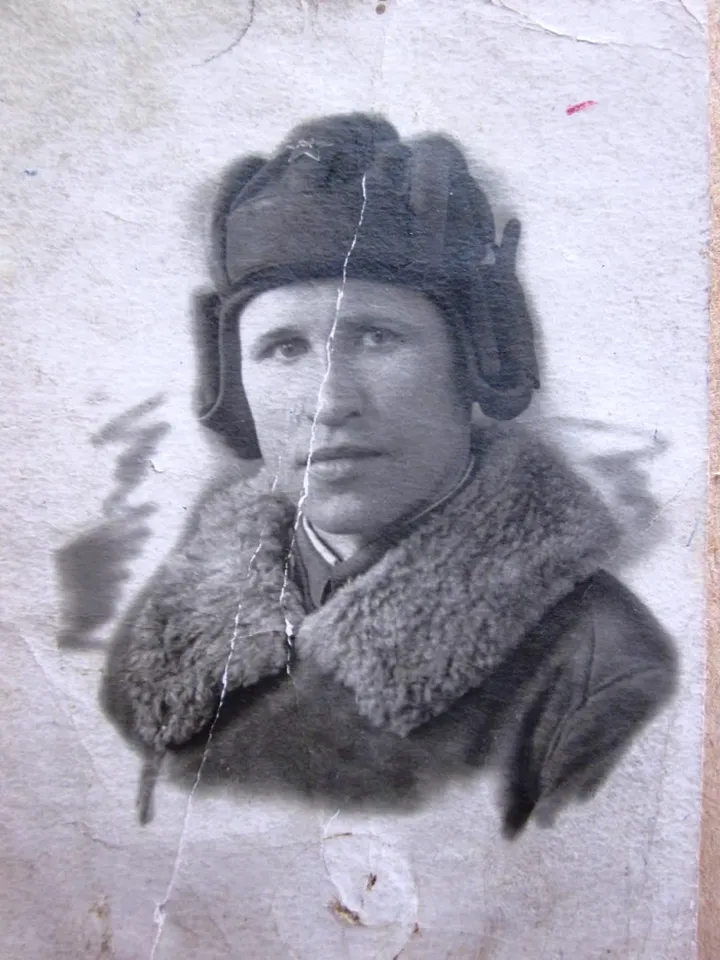

1Before
A scan or a phone snapshot is enough — even a torn or badly faded print works.
2Restoration
AI removes the damage and brings back sharp facial features and fabric texture. Ready in 1–3 minutes.
3Animation
The picture becomes a short video with natural facial movement.
Navigator
Find your task — the link opens the right section straight away.
How the services fit together, in short.
Three AI services from one team. Sixio creates videos, images and music, LexPlex helps with legal questions, and re-photo restores and animates old photographs. Each has its own site and an interface built for its task.
For a family or memorial photo, choose re-photo: it repairs the damage first and then animates the face gently. Sixio is a creative studio where you can invent any scene and pick the model, format and length of the clip.
LexPlex cites specific articles of law, so every answer can be checked. It is reference information: for important or disputed matters, especially before going to court, consult a practising lawyer.
No, the account is shared: you can sign in on any of the three sites with the same email and password or the same social login.
Links to LexPlex and re-photo are in the Sixio menu and on this page, and the LexPlex and re-photo footers link back here. If you are signed in to LexPlex or re-photo, you arrive at Sixio already signed in — no password needed. On LexPlex and re-photo, sign in with the same email or the same social login.
Restoration and retouching in re-photo take 1–3 minutes, animation 3–5. A Sixio video is usually ready in 2–5 minutes; longer clips and heavier models take more time. LexPlex answers right in the chat and shows what it is doing along the way: searching the law, analysing legislation, composing the answer.
We use cookies to operate the service, keep your session, and collect anonymous statistics. See our Privacy Policy.